
Skip to Main Content

Join us for $10 yoga,  art therapy, music therapy, and restorative movement each week. This is available to all adult clients and non-clients!

One Column – Ivory color

This is your One Column section. You can choose the Content Width, Alignment (which side or position it sticks to), and Background Color. You can also set it to appear as the header for the next section by switching the Intro toggle to yes.

  • Widths of 10/12 are great if you want the content centered on the page
  • I would use 8/12 for headers over expandable content.
  • If you want the content lined up with the next section(like 3 columns), I would recommend making it 12/12.

One Column – Ice color

The PageBuilder blocks provide you with the flexibility to make each page unique while staying consistent with the design of the rest of your site. You have several options for your PageBuilder blocks. You’ll click on the “Add Section” button or the + sign in the right upper corner of each section to add a layout.

Two Column – Image Left

For the Two Column section you have all your formatting options and can choose any widths for the columns. You can have two columns of content or a picture and content. The pictures used in this section are 1920 x 1080 px or 1080 x  1080 (.jpg images work best and sizes are recommended starting points). If you need a transparent background in the case of uploading a logo, you can use .png files.

Two Column – Image Right

You can use the Vertical Alignment tool to center the columns vertically. Reverse mobile order if the image appears in the second column.

One Column Intro

Tree Background with Following Content Block Section

Note: When using the Tree Background, the content width can be no more than 9 columns and left aligned

For the content blocks section you have various layout options you can select – Images and White Cards. You’ll simply select the blocks per row, layout, and background color.

Content Blocks – Icons

You can add new blocks with the + sign or “Add Block” button. All your formats and button options are still available. You can also change the amount of block by using the Blocks per row slider.

TEXT BUTTON

Images & Icons

When you add an image, they should all be the same size within the same content box section. For images you can start with a 16:9 or 1:1 image. For icons, we set those at 135 x 135 px (you have a lot in your library with various brand colors).

TEXT BUTTON

Headers

I typically recommend H3 for 3 column, H4 for 4 blocks, and H2 for two blocks per row.

Animated Title

Header Goes Here

You can utilize the Animated Block section for any content that you’d like to draw attention to. All your text formatting options are available within this content box.

Small Title

Two Column Overlapping Image

For this section you can select which side the copy should be on, the background color, and image. I used 1920 x 1080 or 1080×1080 px images. For the 16:9 it will automatically crop the image, so make sure your subject is close to center.
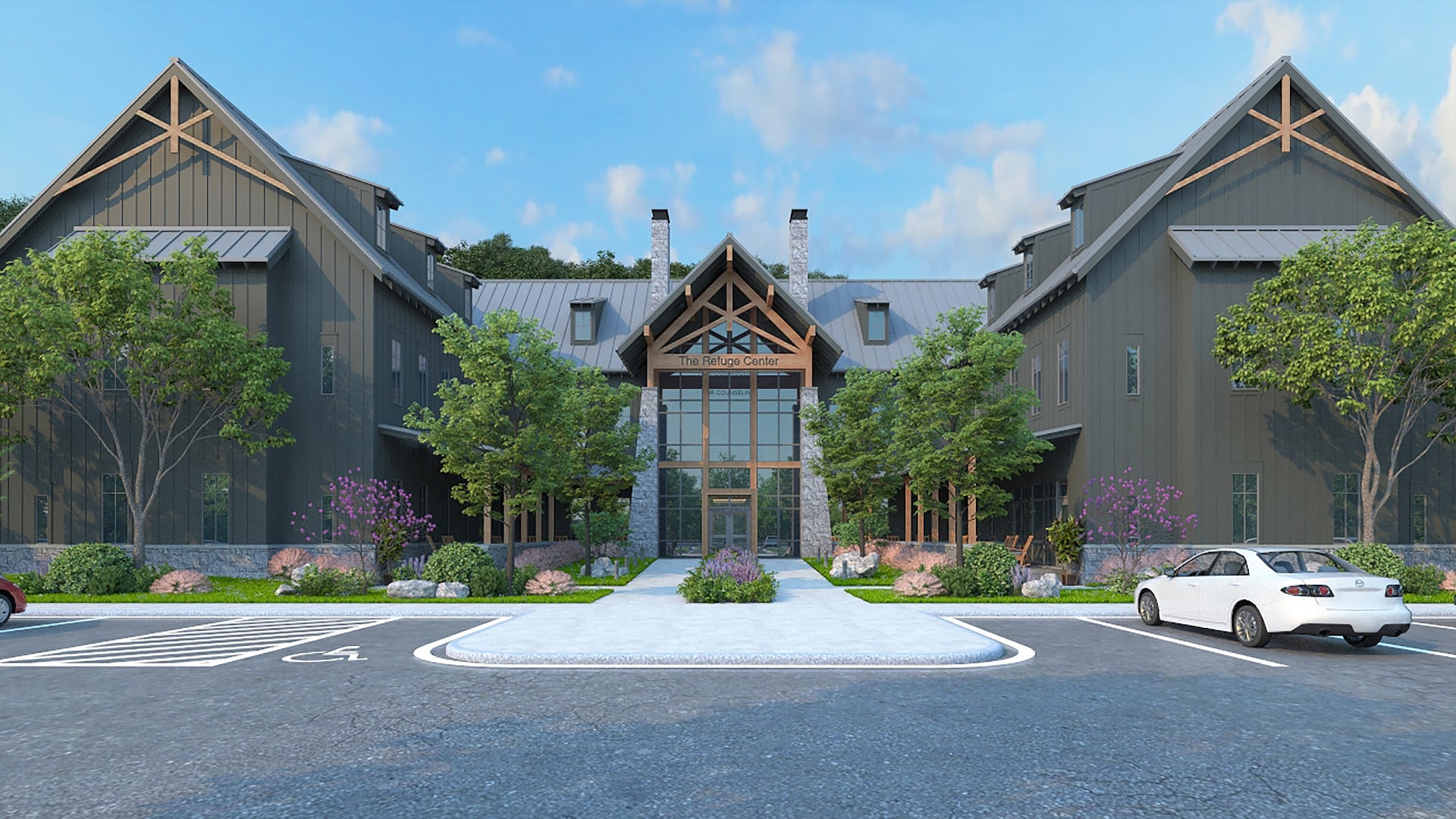

The image shows a large, modern building with a rustic design, featuring a central entrance with a high, peaked roof supported by wooden beams. The building is flanked by two symmetrical wings, each with a similar peaked roof. The exterior is clad in dark-colored siding, and there are several windows on each wing. In front of the building, there is a landscaped area with green grass, bushes, and small trees. A paved pathway leads to the entrance.

CLIENT QUOTE

“Your mid-twenties are full of so much growth and when you add marriage on top — having a place like The Refuge Center and their staff is such a blessing. Working with our therapist, my wife and I grew so much and were both able to walk away feeling more drawn to one another, more connected and stronger communicators together and individually. Thank you, Refuge team, for everything”

-Couple, 25

CLIENT QUOTE

“I love the fact that I have a place where I can be totally honest and say all the things I’m feeling and going through without judgment. I have come to Refuge once a month for a few years now and it’s been so nice to have a place to just vent and be listened to. My kids both have therapists at Refuge and I feel so blessed knowing they are being heard and seen and cared for as well. It’s been such a blessing. “

-Female, 49

CLIENT QUOTE

“I was going through a difficult divorce after 27 years of marriage. When I started going to The Refuge Center, I was just a crying mess. I really didn’t know my feelings at all. However, with their help and guidance, I’ve gotten better at understanding my feelings and setting boundaries. They also helped me see that everything was not my fault with my spouse and helped me understand that he was at fault as well for his actions.”

-Female, 45

CLIENT QUOTE

“I came to The Refuge Center with a focus on trying to develop methods to help me deal with chronic anxiety. I traveled extensively for work, which by itself adds a layer of stress, but also carrying responsibility for leading a large organization dependent on me, making the right decisions to ensure a healthy business. My Therapist has been outstanding. She’s a gifted listener and has offered me many approaches to consider and I have been able to implement those to help ease my anxiety. The concept of self-compassion has really helped me stop trying to be perfect. This experience at The Refuge Center has been a blessing to me and continues to help me grow as a leader, husband, and friend.”

-Male, Age 59

CLIENT QUOTE

“Refuge is my first experience with therapy. I was nervous to begin, but I can’t begin to say how glad I am that I made this decision. Refuge has a beautiful relaxing environment and they’re so respectful over individual needs from the sliding scale, scheduling preferences, the different waiting rooms, and the overall kindness you were treated with, you aren’t just a client. You’re genuinely cared about as an individual. My specific therapist is an amazing fit for me. This helped me create better boundaries, heal from my past, and have hope and vision for my future. Therapy helped me become more emotionally, intelligent, and regulated, my depression and bad spiraling thoughts have essentially gone away. They don’t always have specific answers, but I find myself being kinder to myself, pushing myself to grow in every area of my life, hitting my personal goals and understanding my mind in a way that helps me to understand others as well. I’m so grateful for Refuge and the impact I’ve had on my journey. Thank you for providing support, peace, and for giving me my spark back.”

– Female, Age 19

CLIENT QUOTE

“When I first started therapy at The Refuge Center, I was at a low point in my life. I had very low confidence in myself, ending a long-term relationship, and came off a bad internship experience. However, after months of therapy with my counselor at The Refuge Center, I started having more confidence in myself and became more clear about what I wanted to accomplish in life, both career wise and relationship wise. I also learned some valuable tools to use when experiencing and navigating through negative emotions from…. I am very grateful for all the growth I’ve had in my personal life throughout the time I’ve had at The Refuge Center.”  


-Male, 26

CLIENT QUOTE

“Being new to the area, my husband and I made a big transition. We left a home and area where we lived for 40 years. Lots of relationships left behind. The Refuge Center has been my “safe place” to share cry and try to develop new patterns for this stage of life. Also, I’ve explored new patterns to relate to my adult children. Validating my own feelings, let alone “theirs” is new work for me. I’m trying to leave behind my “fixing” and “giving” methods. My therapist has been what I needed to begin the healing work.”


– Female, Age 73

Image Overlay

You can add content with an image in the background. This works best with landscape photography at a 16:9 ratio. I start with a width of 1920 px and you can adjust the height as needed for the composition of your photo. You can select where you would like the copy to appear (left, right, or center).

CALL TO ACTION

Client Story

“Include your quote here about a wonderful thing a client said.”

Staff Story

“Include your quote here about a wonderful thing a staff member said.”

Frequently Asked Questions

  • What formatting options are available to me?

    Each option has things you can adjust like content width or position and a variety of available formats. See some examples of available formatting below.

    Heading 1 – only use once/page in top header
    Heading 2 – two-column, featured content, one column, Image overlays CTAs,
    Heading 3 – content blocks, long headers
    Heading 4 – content blocks
    Heading 5 – Header labels
    Small Title – Featured Callouts, under Main header H1 for subheadings above paragraph text
    Paragraph – body text
    Large Paragraph – short featured body text

    BUTTON

    BUTTON OUTLINE

    TEXT BUTTON

  • How do I change the order of PageBuilder blocks on the page?

    To change the position of a PageBuilder block on a page, you can drag and drop the boxes to reorder them.

  • How do I add a button?

    To add a button, write out your button text, highlight it, choose the button style from the formats dropdown and then link it by highlighting and clicking the link icon.

  • How do I add a YouTube video?

    1. Go to the YouTube video you want to include
    2. Click Share
    3. Copy the link that appears
    4. Go to the website page you want to edit and the section you want to add the video
    5. Switch the tab to Text
    6. Paste the link (you do not have to do the insert/edit link steps like a button or hyperlinked text)
    7. Update the page to save edits
  • How do I add a form?

    If you’re using Gravity Forms, you’ll select the “Add Form” button and select the form you’ll like to embed from the dropdown menu. Uncheck the boxes next to display form title and form description.

    Forms must first be created in the Forms section before you can add them to a page.

  • What if I'm not receiving form entries?

    Please notify our team and we can do some troubleshooting to try to pinpoint the issue and find workable solutions to correct it.

    If at any point you aren’t receiving form submissions directly to your email, entries can be checked on the backend of the website if you go to Forms > Entries on any form you have in that section.

  • Where can I add an event?

    You can add an event under Events in the left-hand side menu. There you will be able to add an event description, location, date, time and build out any other relevant details using the PageBuilder blocks on that page.

  • Can I change Event background colors?

    We added an option for you to add a header background color and map background color that you can match more closely with the event brand images. For this, you need to use the dark colors. You have to use colors that you can see white on so that the header text and navigation and logo can always be seen.

  • Where can I add Staff & Counselors?

    Staff and Counselors have their own sections on the left-hand side menu. You can add a staff member in the Staff section or a Counselor in the Counselors section.

    Counselors have specialties and techniques you can assign to their profile. These specialties and techniques will also display in your tooltip list PageBuilder blocks.

  • Can I use any image for the CTA section?

    In those sections, you have to be fairly selective with those photos. Content gets lost if there isn’t enough contrast between the text and background and you have to keep in mind the image is going to adjust as you view it on various screen sizes. We added a few more CTA options in the media library. If you search cta in your media library you can choose one of those for the homepage instead.

Data Slider

$0
$206,000+

Your Annual Income

Your Counseling Session Fee

CTA (H2)

Include your call to action statement here. You can use Large Paragraph or Paragraph depending on the length of the statement.

request appointment

555-555-5555